Opens in a new tab
EUR

Your Website,

Built in Clear Steps

From choosing your plan and template to receiving WordPress access, every
stage is designed to be straightforward, organised, and easy to follow.

See the Full Journey from Template to Launch

  1. 01Choose
  2. 02Checkout
  3. 03Website Brief
  4. 04Design & Build
  5. 05Launch
01 Before you order

Choose the planthat fits your business

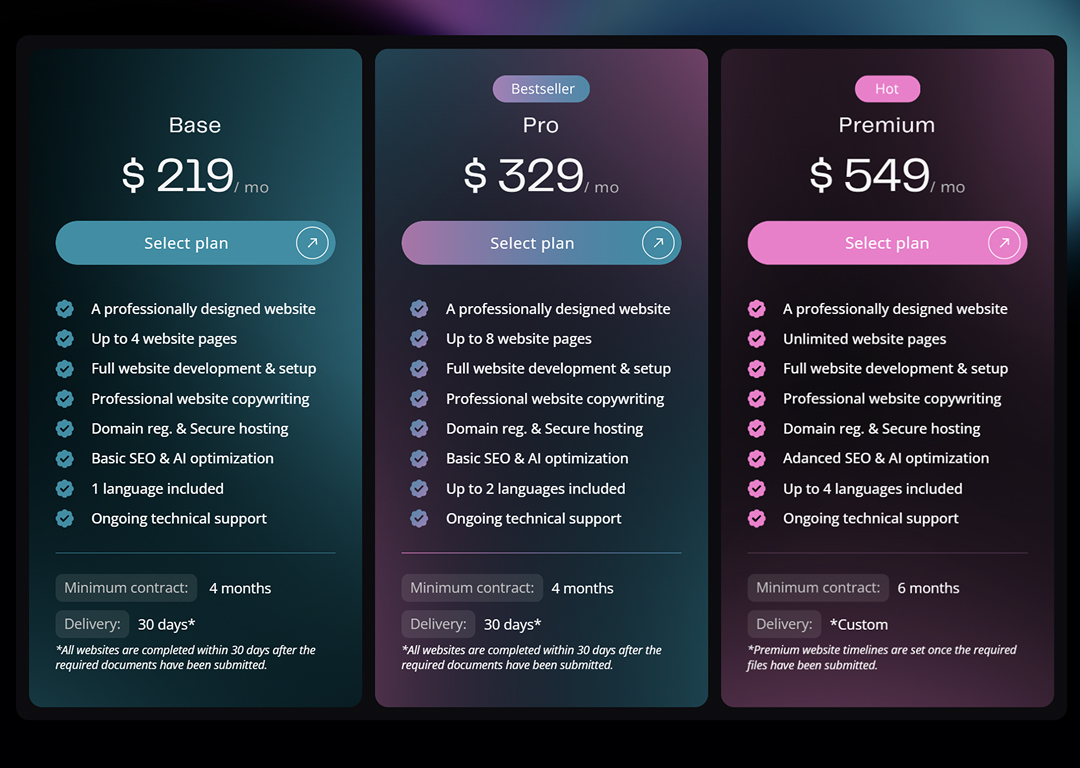
You can choose your plan or template first. Compare Base, Pro, and Premium based on the number of pages, languages, SEO support, and contract length. Every plan includes professional design, development, hosting, maintenance, and ongoing technical support.

  • Compare what is included
  • Choose the right page and language allowance
  • Add optional services after choosing a plan
Compare plans
Neox pricing page showing the Base, Pro, and Premium website plans
02 Choose your design

Pick a professionallydesigned template

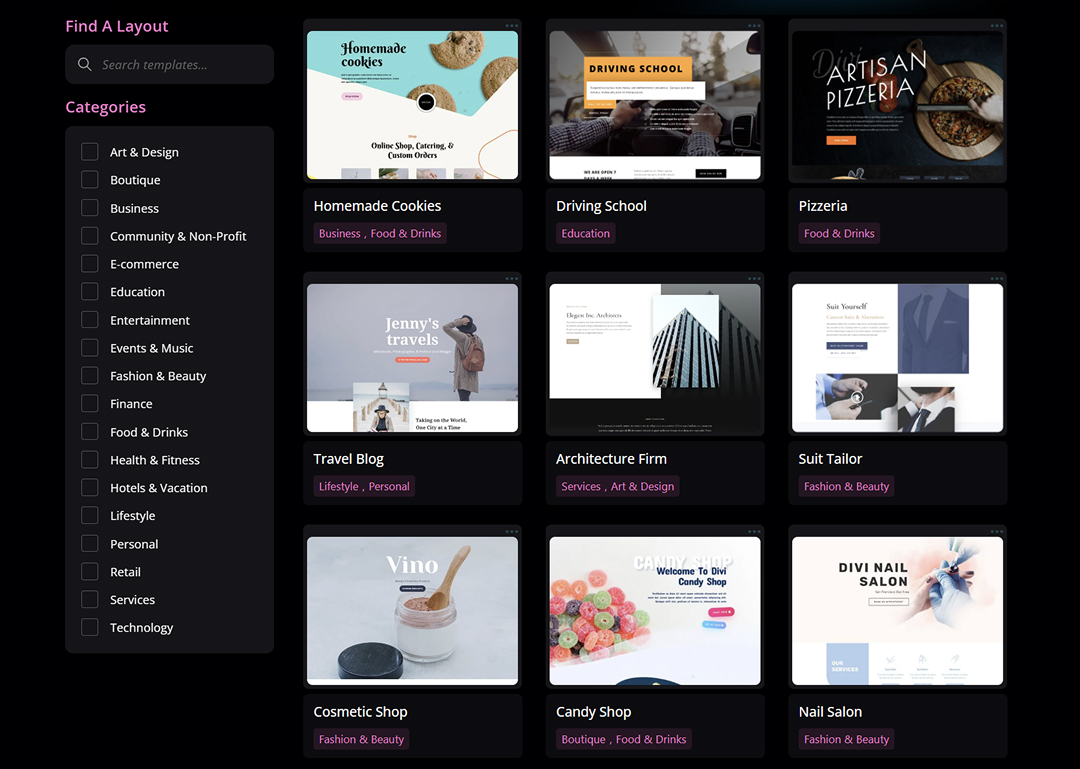
Choose a template before or after selecting your plan. Browse the gallery, filter by industry, and open any design to review its available pages. Your chosen layout is the starting point—we tailor the colours, imagery, content, and details to your brand.

  • Browse templates by business category
  • Review the full page design
  • Select the template you want us to customise
Explore templates
Neox template gallery and Select This Template button
03 Place your order

Review your cartand complete checkout

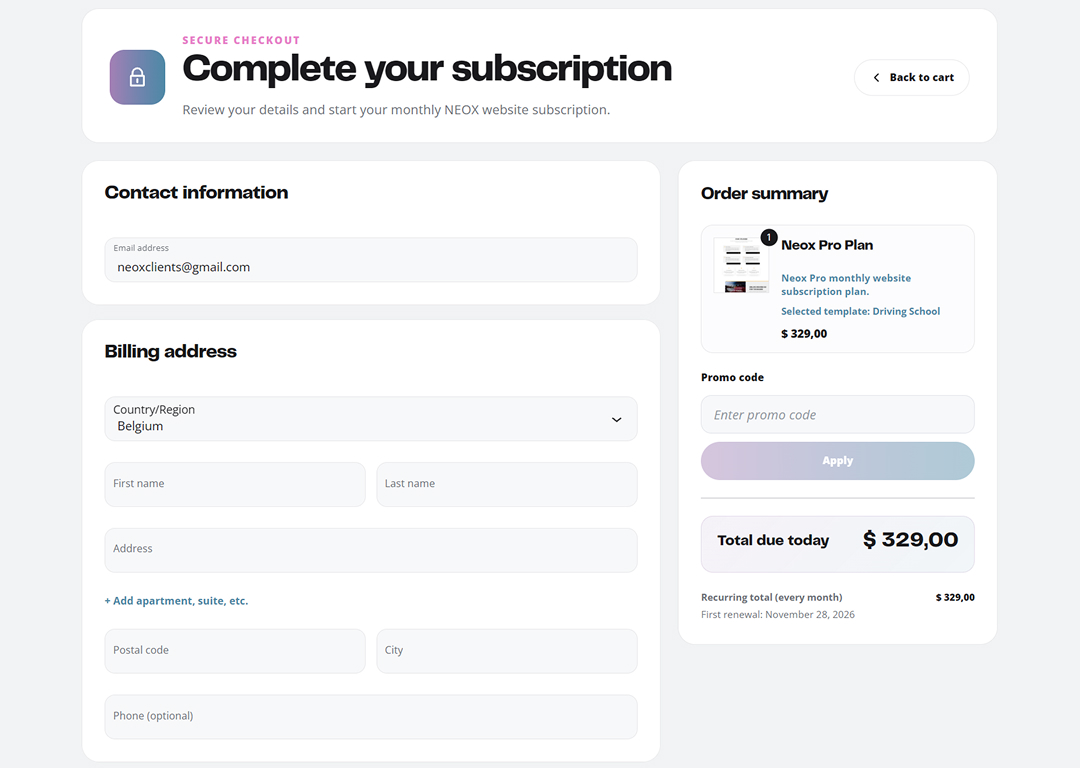
Your cart keeps your selected template and subscription plan. If either is missing, use Choose template or Choose plan in the cart. Both are required before checkout. Review your optional add-ons, enter your billing details, and complete payment. Your Neox client account will be ready for the next step.

  • Check your selected plan and template
  • Review the subscription and add-ons
  • Complete payment through the secure checkout
Neox cart and checkout order summary
04 Tell us about your website

Complete yourWebsite Brief

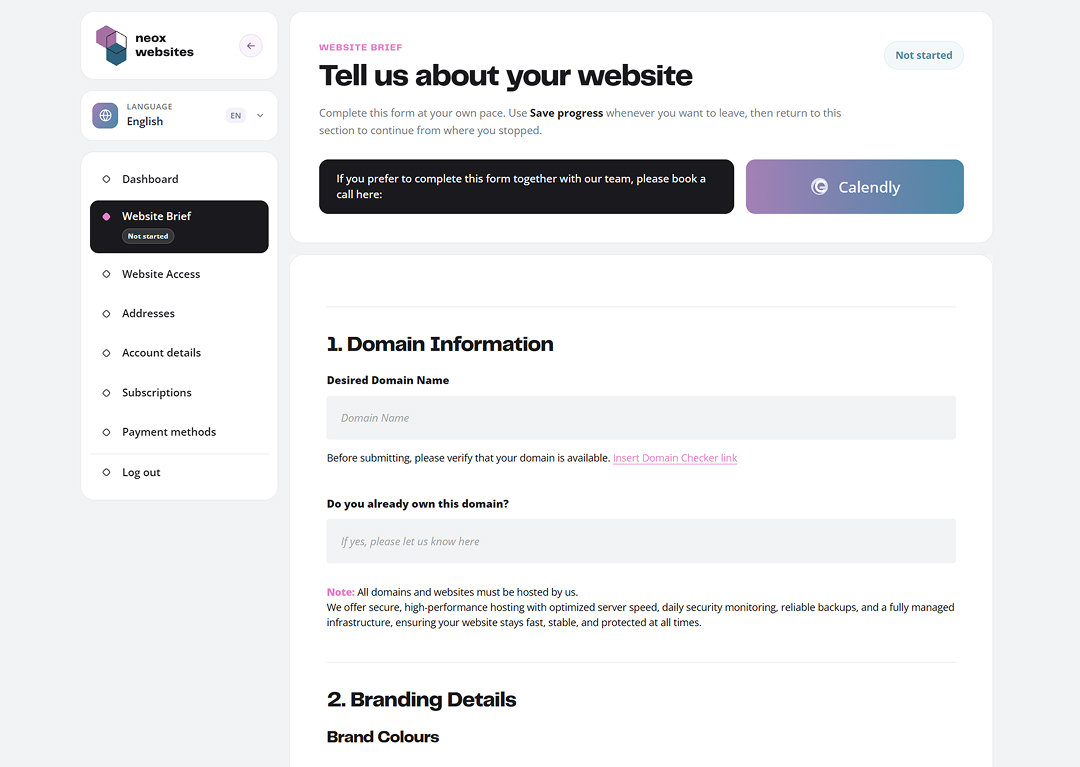
After checkout, open Website Brief in My Account. The guided form collects everything we need: business details, page structure, preferred colours, logo, images, copy, functionality, and any special requirements.

  • Upload your logo, images, and supporting files
  • Save your progress and return at any time
  • Submit the brief when all required information is ready
Open My Account
Neox Website Brief form with Save Progress control
05 After you submit

Keep everything organisedin My Account

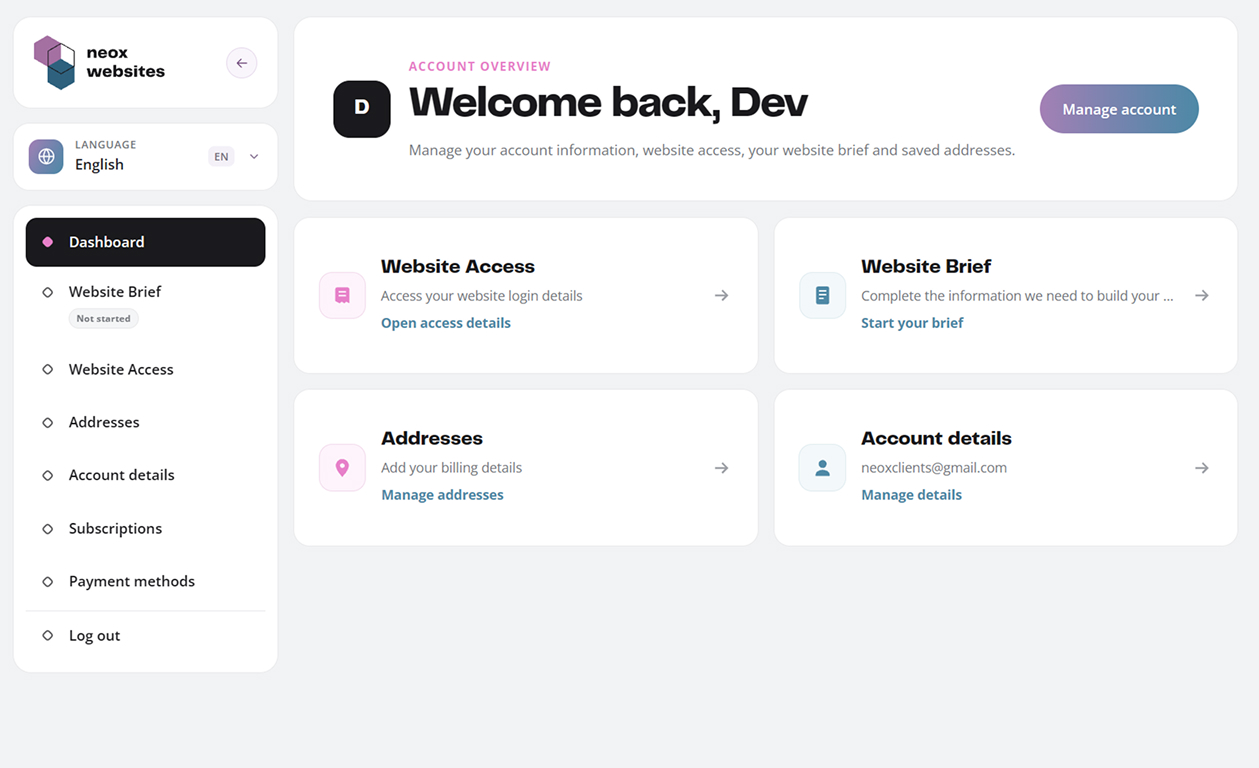
Once the brief is submitted, our team reviews your information and begins research, content planning, design, and development. Your account gives you one clear place to revisit your brief and access your website details when they are ready.

  • See whether your Website Brief has been submitted
  • Keep project and account information organised
  • Contact us if a detail changes or you need help
Neox My Account project dashboard showing Website Brief status
06 We build your website

Research, design, buildand quality assurance

We turn the selected template and your brief into a responsive, branded website. Base and Pro websites are completed within 30 days after all required documents are submitted. Premium timelines are confirmed after submission.

  • Content and structure tailored to your business
  • Responsive development and technical setup
  • Testing before handover and launch
07 Handover and access

Open your live websiteand WordPress dashboard

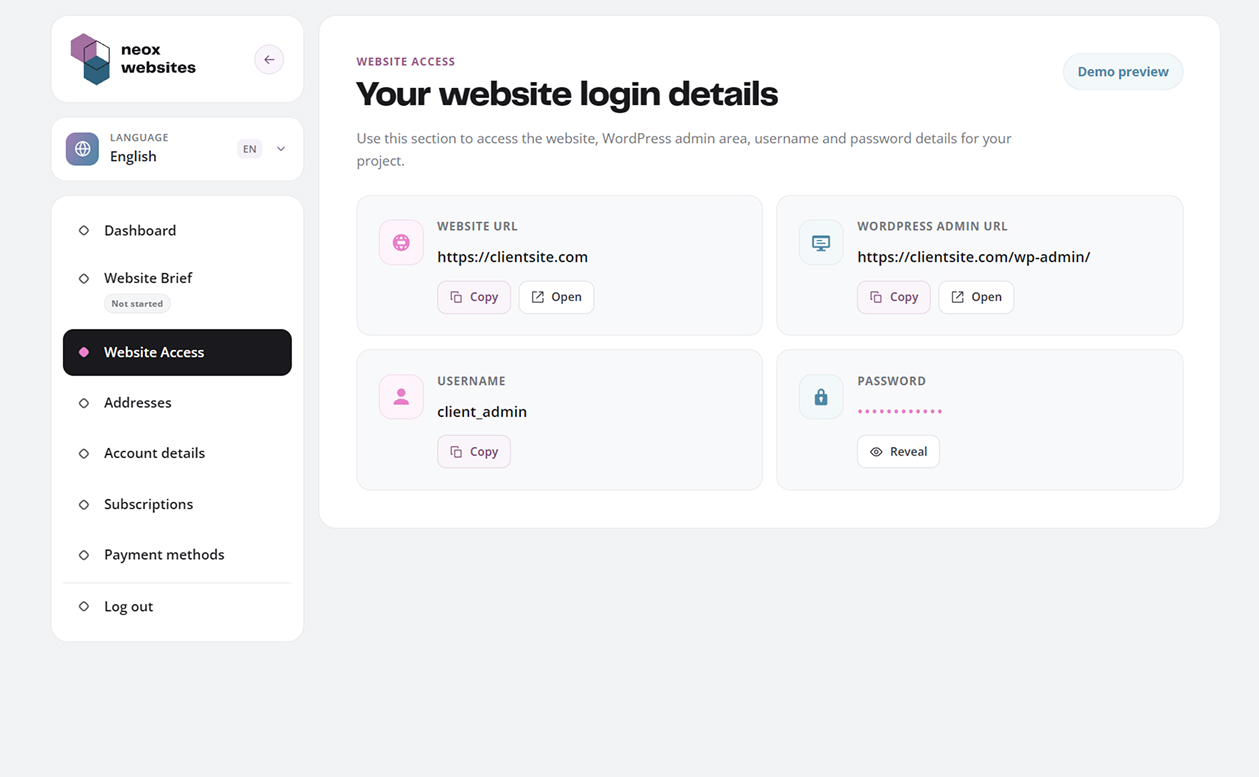
When the website is ready, the Website Access section in your account keeps the live website URL, WordPress admin URL, username, and access controls together. Hosting, maintenance, and technical support continue with your plan.

  • Open your live website
  • Access the WordPress admin area
  • Find your website credentials and support details
Neox Website Access dashboard with website and WordPress admin links

After placing your order

What you canexpect next

Your order starts a guided workflow. Complete your brief, keep everything organised in My Account, and let the Neox team handle the research, design, development, and technical setup.

01

Order confirmation

Your plan, template, and client account are confirmed.

02

Guided Website Brief

Share your content, brand direction, files, and requirements.

03

Done-for-you build

We research, write, customise, develop, and test the website.

04

Launch and support

Receive access to your live website with ongoing maintenance.

Need help before ordering?

Let’s choose the right pathfor your website

Book a free call to walk through the process together, or send us a message with any questions about plans, templates, content, or delivery.